
Propagation
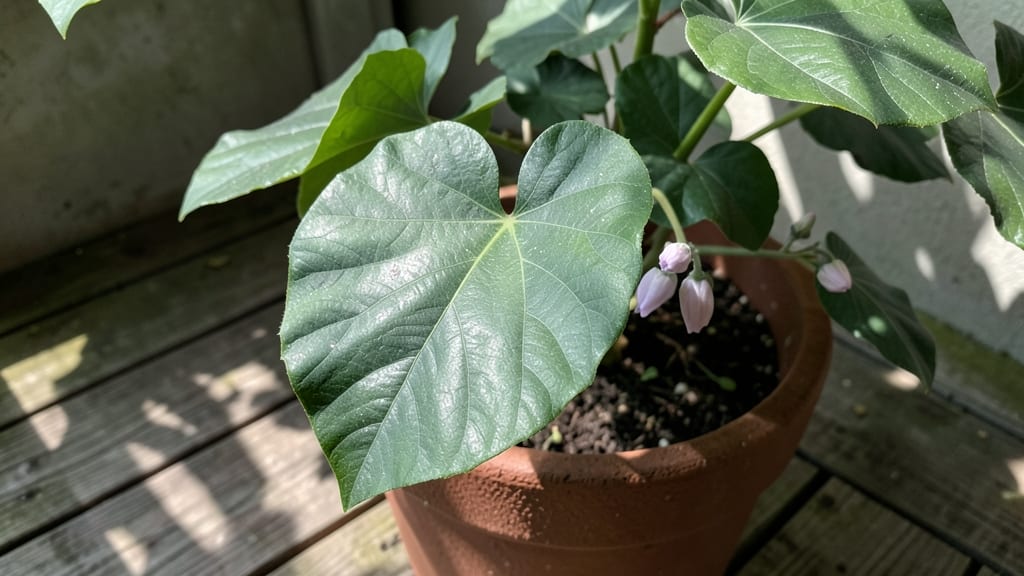
Staring at a leaf and wondering, "How can I identify this leaf from photo?" happens to every gardener. 🌿 I’ve spent years squinting at photos, comparing veins and edges, and finally cracking the code—now you can too.
This guide turns leaf identification from guesswork into a foolproof process, so you can care for, prune, or protect your plant the right way.
The secret lies in four key traits: leaf shape (lobed, serrated, or smooth?), vein pattern (parallel or netted?), edge texture (hairy or waxy?), and color (deep green or variegated?).
Snap a clear photo in good light, then cross-reference with apps like PlantNet or Google Lens for instant matches—though I’ll warn you, some lookalikes (like oak vs. maple) need a closer look.
Once you’ve got the ID, you’ll know exactly how to water, fertilize, or treat pests—no more trial-and-error damage. My most common mistake? Ignoring the underside of leaves, where hidden clues (like fuzzy hairs or spots) often seal the deal. A few seconds of close inspection saves hours of misdiagnosis later.
This works for houseplants, garden shrubs, or wild finds—just grab your phone and a bright window. By the end, you’ll spot a leaf and instantly picture its whole plant, from root to bloom. Ready to become the plant detective in your neighborhood?
What Triggers Misidentification
When you snap a photo of a leaf and try to identify it, success isn’t guaranteed—sometimes, even the most experienced gardeners or botanists struggle. Misidentification happens for a mix of reasons, often tied to how the leaf appears in the image or how the identification process is conducted.
Let’s break down the key factors that lead to confusion and errors.
Not all leaf photos are created equal. If your image lacks clarity, detail, or context, accurate identification becomes nearly impossible. Here’s why:
- Blurry or pixelated images: Low-resolution photos obscure fine details like vein patterns, leaf edges, or surface textures—critical features for differentiation. For example, a maple leaf (with its lobed edges) can resemble a sycamore if the photo is too fuzzy to see the distinct serrations.
- Partial views: If only a fraction of the leaf is visible (e.g., just the tip or base), you miss key identifiers. For instance, poison ivy leaves grow in clusters of three, but a photo showing just one leaf could easily be mistaken for oak or sumac.
- Lighting issues: Harsh shadows or backlighting can distort colors and shapes. A leaf’s true green hue might appear yellowish or dark green, throwing off color-based identifications (e.g., monstera vs. philodendron).
Actionable fix: Always capture high-resolution photos with natural lighting, including the entire leaf, stem, and surrounding foliage for context.
Leaves share many traits, but experts rely on subtle differences. Missing these can lead to misidentification. Here’s what’s often overlooked:
- Vein patterns: Some leaves have palmate veins (spreading from a single point, like a maple), while others have pinnate veins (parallel lines, like a birch). Confusing these can turn a horse chestnut into a sweetgum.
- Leaf arrangement: Alternate (one leaf per node) vs. opposite (paired leaves) growth can distinguish elm from ash. A photo cropped too tightly might hide this clue.
- Edge characteristics: Serrated (toothed), lobed, or smooth edges are telltale signs. A white oak’s rounded lobes differ from a red oak’s pointed ones—easy to miss in a rushed glance.
- Surface texture: Hairy, waxy, or glossy leaves (e.g., rhubarb’s rough leaves vs. hosta’s smooth ones) are often ignored in favor of shape.
Actionable fix: Use a magnifying tool or app to zoom in on veins, edges, and textures. Compare your photo to botanical keys (step-by-step identification guides) that prioritize these features.
Leaves aren’t static—they change with the seasons, climate, and even soil conditions. These shifts can make identification tricky:
- Seasonal color shifts: A sugar maple leaf might look vibrant red in autumn but dull green in summer. Relying on color alone (e.g., via a photo) can lead to errors.
- Disease or pests: Spider mites, fungal spots, or aphids can alter a leaf’s appearance. A healthy oak leaf vs. one with anthracnose (a fungal disease) might look like entirely different species.
- Sun exposure: Leaves in shade grow larger and lighter than those in full sun. A houseplant leaf (e.g., pothos) might look drastically different indoors vs. outdoors.
Actionable fix: Note the time of year, location (indoors/outdoors), and any visible damage in your photo’s description. Cross-reference with seasonal leaf guides.
Even the best apps and online databases have blind spots. Here’s why tech might fail you:
- Database gaps: Many identification tools focus on common or region-specific plants. A rare tropical leaf might not have an entry, leading to vague or incorrect matches.
- Algorithm biases: AI trained on limited datasets may misclassify leaves based on incomplete patterns. For example, a ginkgo leaf’s fan shape might be confused with a maidenhair fern if the tool lacks fern-specific training.
- User input errors: Entering the wrong location or plant type (e.g., labeling a fern as a tree) skews results.
Actionable fix: Use multiple tools (e.g., iNaturalist, LeafSnap, Google Lens) and verify results with physical field guides. When in doubt, consult a local botanist or university extension service.
By understanding these common pitfalls, you’ll sharpen your leaf-identification skills—and avoid the frustration of a mismatched result. Next, we’ll explore how to turn these challenges into opportunities for accurate matches.
Quick Fixes for Leaf ID Confusion
Struggling to match a leaf to its plant from a photo? The good news is that with the right tools and techniques, you can pinpoint plant species like a pro—even as a beginner.
Below, we’ve broken down the most common challenges and their solutions, from blurry photos to unfamiliar leaf shapes. Plus, we’ll share pro tips to prevent future guesswork so you can confidently ID leaves every time.
Cause: Poor lighting, shaky hands, or a weak camera can make details hard to see. Fix:
- 📸 Take a closer shot – Use your phone’s macro mode or a magnifying glass to focus on key features (veins, edges, texture).
- 🌞 Improve lighting – Shoot near a window or use a ring light to avoid shadows.
- 🖼️ Enhance the image – Use free apps like Snapseed or Adobe Lightroom to sharpen edges and boost contrast.
Prevention Tip: 💡 Always capture multiple angles—top, side, and underside of the leaf—for a full picture.
Cause: Some leaves are highly variable (e.g., maple vs. oak) or have rare traits. Fix:
- 📏 Measure key features – Use a ruler or your phone’s screen to note:
- Leaf length/width ratio (e.g., 2:1 for willow, 1:1 for maple).
- Margin type (lobed, serrated, smooth).
- Venation pattern (parallel vs. net-like).
- 🔍 Compare with a hybrid tool – Try PictureThis or Google Lens, then cross-check with USDA Plants Database or iNaturalist.
Prevention Tip: ✨ Keep a field notebook with sketches of unique traits (e.g., "red stems," "hairy underside").
Cause: Some plants (like poison ivy or oleander) mimic harmless species. Fix:
- 🚨 Check for warning signs – Look for:
- Tooth-like clusters (poison ivy: "leaves of three, let it be").
- Milky sap (milkweed) or spiky edges (holly).
- 📱 Use a toxic plant ID app – PlantNet or LeafSnap flag risky matches.
- 🌍 Consult local experts – Post in gardening forums (e.g., Reddit’s r/whatsthisplant) with your location for accurate IDs.
Prevention Tip: 🎯 If unsure, avoid touching—some reactions take days to appear!
Cause: Leaves change with sun exposure, disease, or season (e.g., autumn reddening). Fix:
- 🍃 Compare with healthy samples – Use a database like Arboretum’s Leaf Library to see "typical" vs. "stressed" versions.
- 🌤️ Note environmental clues – Is the leaf dried out (low humidity)? Spotted (fungus)? Adjust your search terms (e.g., "oak leaf with brown spots").
- 📅 Time your photos – Capture leaves in peak condition (spring/summer for most species).
Prevention Tip: 🌡️ If leaves are abnormal, describe the issue first (e.g., "yellowing maple leaf in July") for better search results.
Cause: AI tools sometimes misclassify due to limited regional data or user errors. Fix:
- 🔄 Try multiple tools – Combine LeafSnap, PlantNet, and Google Lens for consensus.
- 🔎 Narrow your search – Instead of "tree leaf," specify:
- Location (e.g., "Pacific Northwest").
- Habitat (shady vs. sunny).
- Size range (e.g., "small shrub leaves").
- 📚 Read user comments – On iNaturalist, scroll to see if others had the same confusion.
Prevention Tip: 📊 Bookmark trusted databases (e.g., USDA PLANTS, Royal Botanic Gardens Kew) for verification.
Pro Move: Once you’ve ID’d your leaf, save it to a digital scrapbook (like Google Photos or Evernote) with notes on where/when you found it. Over time, you’ll build a personal plant library—no more guesswork!
Frequently asked questions
What’s the fastest way to identify a leaf from a photo?
Use a dedicated plant ID app like LeafSnap or PlantNet—they analyze leaf shape, veins, and edges in seconds. For best results, include the underside of the leaf (hairs, spots, or waxy coatings are key clues) and take photos in natural light. If the app gives multiple matches, check the leaf arrangement (alternate vs. opposite) on the stem to narrow it down.
Why does my leaf look different from the app’s match?
Leaves change with season, light exposure, or disease. A healthy maple leaf in summer looks nothing like its autumn red version! Compare your photo to seasonal guides (like USDA’s Plant Database) and note any damage—yellowing, spots, or holes can be red flags. If the leaf is indoors, remember houseplants often grow larger and lighter in low light.
Can I identify a leaf if I only have a photo of the stem?
Stems alone are tricky, but you can still make progress! Look for hairiness, color (red, green, or purple?), and texture (smooth or rough). Pair it with nearby leaves or flowers if possible. For woody plants, check if the stem has bud scales or thorns—these are game-changers. If stuck, try Google Lens and describe the stem’s traits in detail.
What if the app says it’s a poisonous plant?
Don’t panic! Double-check with local botanists or Poison Control—some apps overestimate risks. For example, oleander and poison ivy are often misidentified. If you’re unsure, avoid touching the plant, and take a second photo with a ruler for scale (helps distinguish tiny toxic leaves from harmless lookalikes).
How do I build a library of leaf IDs for future reference?
Create a digital scrapbook! Save high-res photos in Google Photos or Evernote, and tag them with location, season, and key traits (e.g., “oak leaf, lobed edges, 6 inches, Pacific Northwest”). Over time, you’ll spot patterns—like how maple leaves always have opposite arrangement—and ID leaves faster than any app.