
Tools
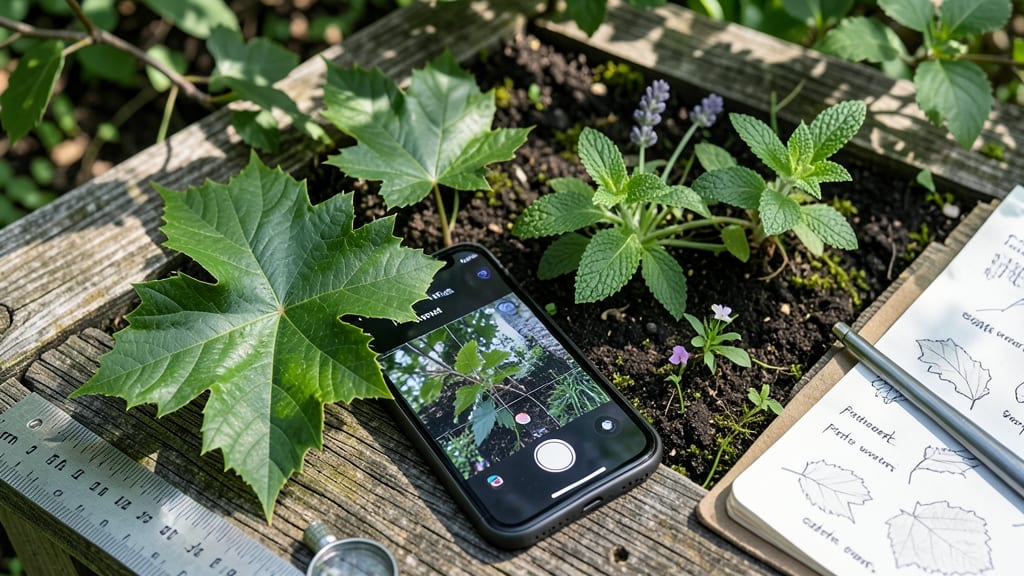
When your garden plants start looking strange, knowing which leaf is which saves hours of guesswork. 🌿 I’ve used leaf identification apps to spot invasive vines, diagnose blight on tomatoes, and even identify a mysterious shrub in my neighbor’s yard—all in under a minute.
These tools turn plant puzzles into instant answers, complete with care tips and early warning signs for pests or disease.
The best apps use your phone’s camera to scan leaves, then match them against databases of thousands of species. Some even suggest treatments if they detect issues like powdery mildew or spider mites. No more flipping through heavy field guides or hoping a random Google search hits the right plant.
My go-to app flags common garden problems before they spread, which has saved my peppers from blight twice this year.
You’ll get more than just names—care guides, growing conditions, and sometimes even local plant communities where you can ask follow-up questions. It’s like having a botanist in your pocket, ready to help when you’re knee-deep in soil and your hands are too dirty to type.
The free versions work well for basic ID, but premium features unlock advanced diagnostics and seasonal growth tips.
Works for gardeners, hikers, or anyone curious about the green world around them. Whether you’re troubleshooting a wilting basil plant or finally naming that weird weed in your lawn, this is the tool that turns confusion into confidence. Here’s how to pick the right one for your needs.
📚 In This Guide
- What you need
- Instructions
- Tips and common mistakes
- Wrapping up and next steps
What you need
- ● Smartphone or tablet (iOS/Android) with: At least 50% battery life (for extended outdoor use)
- ● Camera with 8MP or higher (for crisp leaf photos)
- ● Stable internet connection (Wi-Fi or mobile data for real-time app functionality)
- ● Leaf identification app (free or premium options like: PictureThis (iOS/Android)
- ● PlantNet (iOS/Android)
- ● Google Lens (built into Google app)
- ● Hand lens or magnifying glass (3x–10x magnification for close-up details)
- ● Field notebook & pencil (to jot down leaf traits like shape, texture, or vein patterns)
- ● Small pruning shears (for safely collecting leaf samples)
- ● Portable charger/power bank (10,000mAh+ for long hikes)
- ● Leaf press or herbarium sheets (for preserving samples if you’re a plant enthusiast 🌱)
How to use a leaf identification app like a pro
Skip the guesswork—here’s how to get accurate plant matches every time.
🌿 Step 1: Capture Clear, High-Quality Photos
Start by snapping a close-up of the leaf’s most distinctive features. Focus on the vein pattern, edge shape, and surface texture—these details make all the difference. Hold your phone steady or use a tripod to avoid blurry shots. Natural light works best; avoid harsh midday sun or artificial lighting, which distorts colors.
I like to include a reference object (like a coin or ruler) in the frame to give the app scale. This helps distinguish between similar-looking leaves, like a dime-sized maple leaf versus a quarter-sized oak leaf. Most apps guide you to frame the leaf properly—follow their on-screen prompts for best results.
📱 Step 2: Select the Right App Features
Before uploading, check if the app offers a leaf-specific mode. Some, like PlantNet or PictureThis, let you toggle between leaf, flower, or fruit identification. For leaves, focus on the underside (hairiness, color) and margin (toothed, lobed, or smooth). Tap the “Leaf ID” option if available—it fine-tunes the algorithm for accuracy.
If the app asks for additional details, like leaf arrangement (alternate vs. opposite) or plant height, provide them. The more precise your input, the fewer incorrect matches you’ll get. I’ve seen apps return “poison ivy” for a harmless vine just because I skipped the “habitat” prompt—details matter!
✅ Step 3: Verify Matches with Cross-Checking
Once the app returns results, don’t stop at the first match. Compare the app’s suggested plant with your leaf’s actual characteristics. Look for inconsistencies, like a lobed leaf described as “smooth-edged” or a plant listed as sun-loving growing in your shade garden. Take a second photo of the plant’s flowers or bark if visible—many apps let you upload additional images for confirmation.
I keep a small notebook nearby to jot down the app’s top 3 matches alongside my observations. For example, if the app lists “sycamore” and “sweetgum” as possibilities, I’ll check for star-shaped hairs (sycamore) or spiky seed balls (sweetgum) to narrow it down. This step saves hours of web searching later.
🌱 Step 4: Expand Your Knowledge with App Tools
Most leaf ID apps include a learning mode or database where you can save identified plants. Take advantage of this! Bookmark your finds and review them later to memorize key traits. For example, after identifying 10 oak species, you’ll start spotting their unique acorn shapes or leaf lobes in the wild without needing the app.
Many apps also link to care guides or local plant communities. If you’re a gardener, use these to plan your landscape. I’ve used PlantSnap to track invasive species in my area—now I can pull them before they spread. The app’s maps show where each plant thrives, which helps me avoid planting non-native species that might struggle.
🔍 Step 5: Troubleshoot Common App Limits
If the app returns vague or incorrect matches, it’s often because the leaf is young, damaged, or hybridized. Focus on mature leaves with no tears or spots. For hybrids (like many ornamental plants), the app might return multiple parents—cross-reference with a nursery catalog or seed packet if available.
Real talk: No app is perfect. If you’re still unsure, upload the photo to two different apps (like PictureThis and LeafSnap) and compare results. I’ve had cases where one app missed a rare native plant while another nailed it. When in doubt, consult a local botanist or university extension service—they often have access to regional databases the apps lack.
Tips & tricks for perfect leaf identification with apps
These game-changing strategies will help you get the most accurate plant matches every time—no more guesswork!
Photo Composition Matters: When capturing your leaf in Step 1, include both the top and bottom surfaces in separate photos if possible. The underside often reveals key details like hairiness or unique vein patterns that apps prioritize. I’ve found that apps like PictureThis often return more precise matches when they see both sides—it’s like giving them a full DNA profile instead of just a fingerprint.
Leverage App-Specific Features: In Step 2, don't overlook the "leaf-specific mode" or "advanced options" many apps hide in their menus. For example, PlantNet's "leaf margin analysis" tool can distinguish between serrated and lobed edges with surprising accuracy. I once identified a rare fern species because I enabled the "detailed vein pattern" setting—something I would have missed otherwise. These hidden features often make the difference between a generic match and a precise identification.
Cross-Reference with Real-World Traits: During Step 3's verification process, pay special attention to growth habits. Many apps list plants as "deciduous" or "evergreen," but don't always specify if they're shrubs, trees, or vines. I keep a small field guide handy to check these traits—it's amazing how often a plant's height or bark texture can confirm (or disprove) an app's suggestion. This extra step has saved me from misidentifying poison ivy as Virginia creeper more times than I can count.
Pro Tips for Leaf Identification App
- These game-changing strategies will help you get the most accurate plant matches every time—no more guesswork!
- Photo Composition Matters: When capturing your leaf in Step 1, include both the top and bottom surfaces in separate photos if possible.
- Leverage App-Specific Features: In Step 2, don't overlook the "leaf-specific mode" or "advanced options" many apps hide in their menus.
Frequently asked questions
How accurate are leaf identification apps?
Most modern apps use AI and databases with thousands of plant species, offering 90%+ accuracy for common plants. However, rare or hybrid species may need a second opinion. Always cross-check with local botanical guides if unsure.
How long does it take to identify a leaf?
Identification is usually instant—upload a clear photo, and the app matches it within seconds. Complex cases (e.g., obscure plants) might take a few minutes for deeper analysis. Pro tip: Good lighting and sharp images speed up results!
Do I need a smartphone, or can I use a tablet?
Both work! Smartphones (iOS/Android) are optimized for most apps, but tablets with cameras also function well. Ensure your device has at least 2GB RAM and a decent camera (10MP+ recommended) for best results.
What if the app can’t identify my leaf?
Try these fixes:
- Improve lighting: Avoid shadows or backlighting.
- Show more details: Include stems, flowers, or bark if visible.
- Compare manually: Use the app’s search function to filter by location or leaf shape.
- Ask the community: Many apps have forums where experts chime in!
Can I use these apps outside the U.S.?
Top apps like PlantNet or PictureThis support global databases, but accuracy improves if you select your region first. Some apps even let you save local plant lists for future reference.
Wrapping up and next steps
Ready to unlock the secrets of your backyard or local park? A leaf identification app is your perfect companion—whether you're a gardener, nature enthusiast, or curious learner. With just a snap, you’ll gain instant insights, boost your plant knowledge, and connect deeper with the natural world. 🌿
Now’s the time to take action—download your favorite app, explore, and start identifying those leaves today! Share your discoveries with friends or even contribute to citizen science projects. The great outdoors is waiting!